Map view
map view
The map view shows all selected trips on the map, as well as in a simplified timeline view at the bottom of the screen. When selecting a stop on the map, the associated stop list is displayed on the right-hand side of the screen.
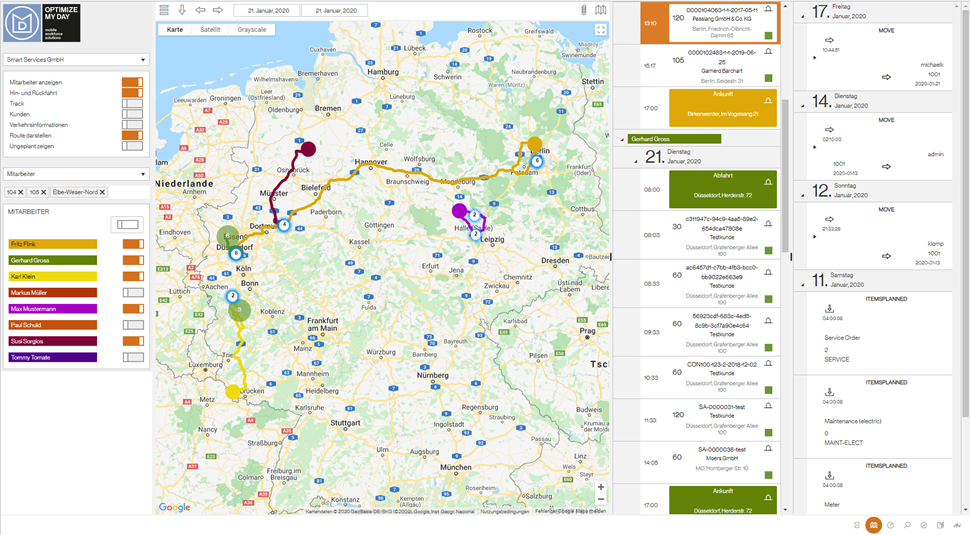
Further information or functions can be activated in the drawer on the left-hand side.
| Option | Description |
|---|---|
| Show employees | Shows the position (usually the home address) of the employees |
| Round trip | Shows the trip with round-trip travel to and from home |
| Track | Shows tracking information (only if this is activated) |
| Customers | Shows the positions (addresses) of all customers on the map |
| Traffic information | Shows the current traffic situation on the map |
| Show trip | Show or hide trips |
| Show unplanned | Shows all unplanned tasks on the map (stop addresses) |